
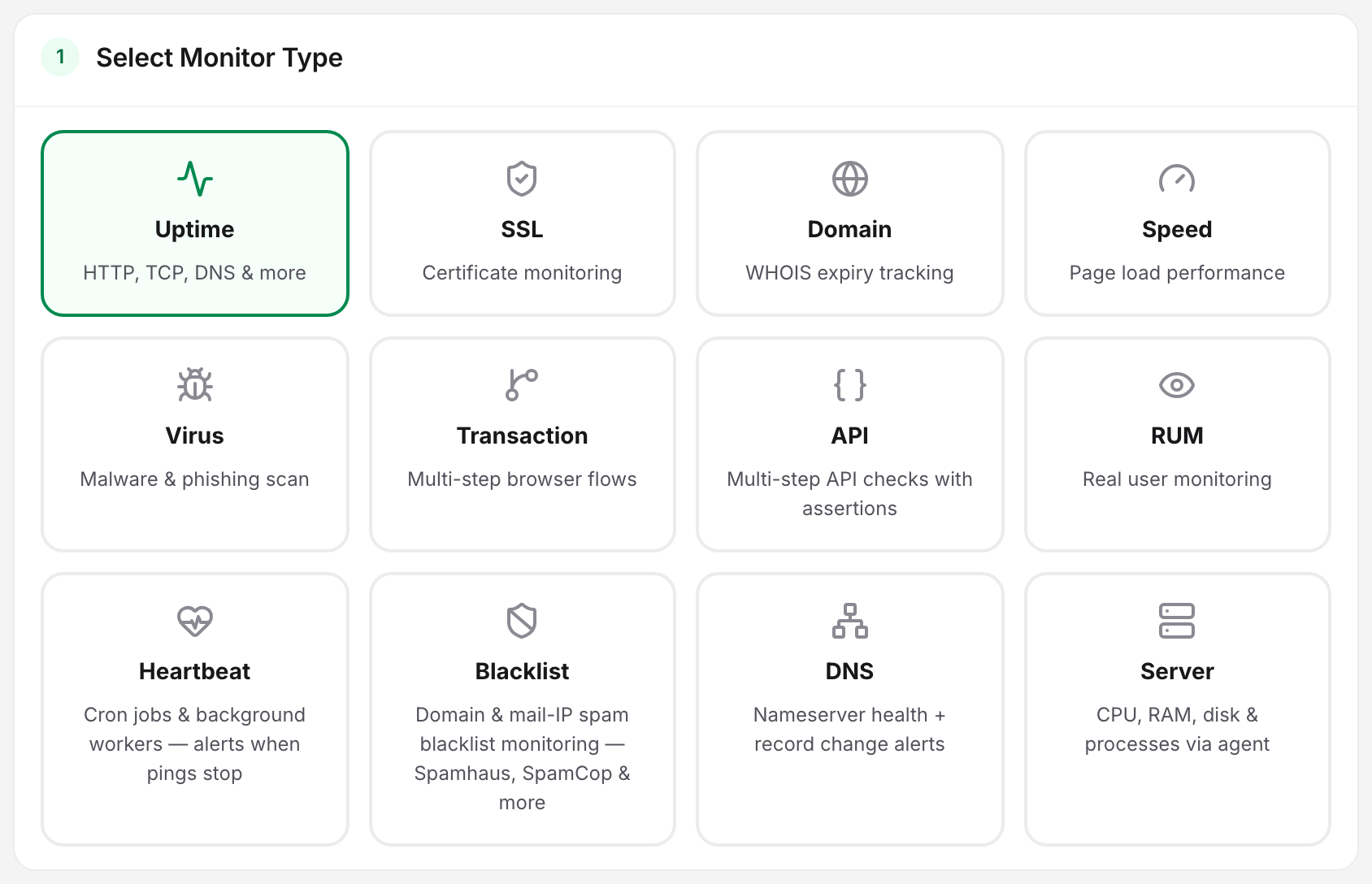
Several of Uptimia's 12 monitor families overlap by name or by job. Pick the wrong one and you get a monitor that stays green through the failure you were worried about. The overlaps that get mixed up:
- the 3 separate things called DNS
- virus versus blacklist
- uptime versus API
- API versus transaction
- speed versus real-user data
- the 2 families that check from your side
For the full roster of what each family does, start at Monitoring Overview.
Start With What You Want to Catch
Work backwards from the failure: name the thing that would be broken, then pick the family that would notice it.
| What you want to catch | Reach for | What the obvious alternative will not tell you |
|---|---|---|
| The site or service stopped answering | Uptime | A speed monitor keeps passing while the page is slow but alive |
| A specific error page is being served with a 200 | Uptime with a content check | A plain uptime check treats any 200 as healthy |
| A login or checkout flow broke while every page still loads | Transaction | Uptime and API both pass when the front end is broken and the endpoints are fine |
| An API endpoint returns the wrong body, or a token flow stopped working | API | Uptime checks reachability, not the shape of the response |
| A cron job, worker or backup stopped running | Heartbeat | Nothing Uptimia checks from outside can see a job that never started |
| A host is running out of disk, memory or CPU | Server | An uptime check stays green until the host falls over |
| Pages got slower for your real visitors | Real User (RUM) | Speed measures one headless browser at a time, on your schedule, from the probes you picked |
| A page got slower under controlled conditions, and you want the resource breakdown | Speed | Real User has no controlled baseline and no per-resource breakdown |
| The certificate expires soon | SSL | Domain watches the registration, not the certificate |
| The domain registration expires soon | Domain | DNS watches the zone, not the registrar record |
| A record changed, or a nameserver is answering badly | DNS | Domain refreshes WHOIS on a slow cadence and never queries your nameservers |
| Browsers started warning people away from your site | Virus | Blacklist queries spam lists, not Google's browser verdicts |
| Your mail is being rejected as spam | Blacklist | Virus never queries a DNSBL zone |
What "DNS" Can Mean Here
"DNS" names 3 separate features in Uptimia, and they answer 3 different questions.
| Which DNS | What it does | Use it when |
|---|---|---|
| The DNS sub-type of an uptime monitor | Under What should we check? → Network → DNS, resolves a name from your chosen probes and compares the answer to the response you expect | You want an alert when a specific lookup stops returning the value you expect, on your uptime cadence |
| The DNS monitor family | Asks your own nameservers for the whole zone directly, with no cache in between, and reports the health of each nameserver plus record changes against a baseline, every 5 minutes | You own the zone and want its nameservers and its records watched |
| The free DNS Checker tool | A one-off lookup, no account needed, sent from probes worldwide, each asking a different public resolver | You are watching a change propagate right now and do not need a monitor |
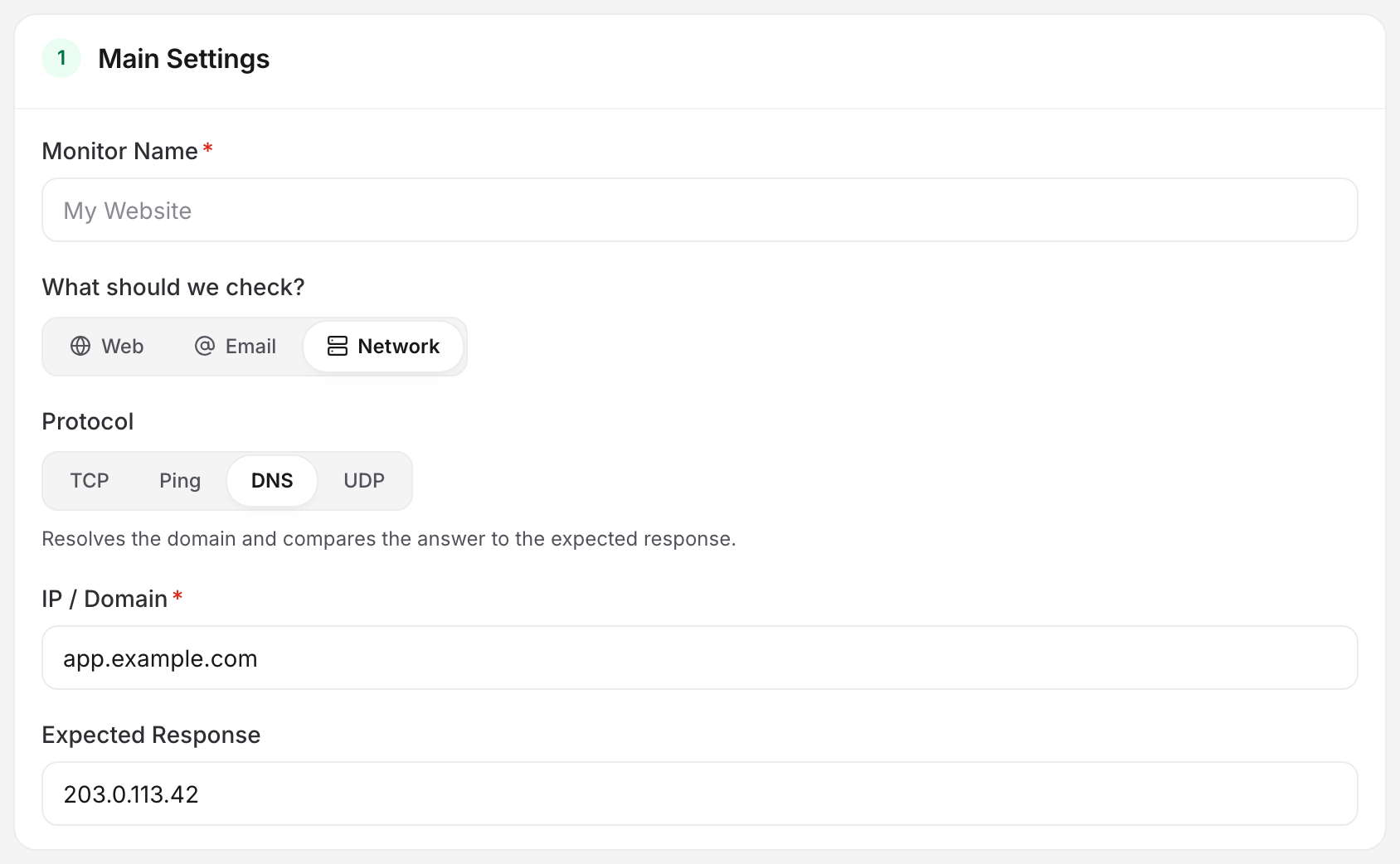
The uptime sub-type asks a resolver what it currently returns, which is a cached answer. The DNS monitor asks your authoritative nameservers directly. That is the only way to see a nameserver that:
- has fallen out of sync with its siblings
- answers without saying it is in charge of your zone
- reports a different version number for the zone than the other nameservers do
- answers lookups for other people's domains, which it should refuse
DNS Change Detection covers change alerts and baselines.
Virus Monitoring or Blacklist Monitoring
Both get described with the word "blacklisted", and they answer different questions.
Virus and Malware Monitoring is a Google Web Risk lookup. It answers: will Chrome, Firefox and Safari put an interstitial in front of my visitors?
Blacklist Monitoring sweeps 17 DNSBL spam blacklists for your domain and your sending IPs. It answers: will receiving mail servers reject what I send?
A site can be clean in Web Risk and listed on 3 DNSBLs at the same time, or the reverse. If email delivery is the thing you care about, Monitoring Your Email Infrastructure sets out the whole sequence.
Uptime With a Content Check, or API Monitoring
An uptime monitor can do more than confirm a 200. Turn on Check if a specific content is on your website and it looks for up to 15 keywords in the response body, each set to Must exist or Must not exist. That is enough to catch a database error rendered inside a 200 page, and Keyword Checks documents it.
Reach for API Monitoring instead when one request cannot answer the question:
- The check needs more than one request, in order: authenticate, then call the endpoint that needs the token.
- You need to check the shape of the answer: the value of one field, the status code, a header, or the response time.
- You need a value from one response inside the next request, carried as a
{{variable}}. - You need a method, headers or a body a keyword check cannot express.
If one plain page request plus a keyword check is enough, stay on uptime. It draws on the larger pool and runs at a faster cadence on Professional and Enterprise. Assertions, Extractions and Variables covers assertions and extraction.
API Monitoring or Transaction Monitoring
Both replay a sequence. The difference is what runs the sequence.
| API | Transaction | |
|---|---|---|
| What executes | HTTP requests, no browser | A real browser |
| Step budget | 1 to 15 requests in a chain | A journey built from an 18-action catalog grouped as Navigate, Interact and Verify |
| Sees JavaScript, rendering, CSS | No | Yes |
| Passes values between steps | {{variables}} extracted from earlier responses |
Carried by the browser session itself |
| Fastest cadence | 1 minute, or 5 minutes on Free | 10 minutes on every plan |
| Plan pool | Its own API pool | Shared Advanced checks pool with Speed |
Pick API Monitoring when the contract you care about is the API contract. Its fastest cadence is 1 minute on a paid plan, and no markup change can break it. Pick Transaction Monitoring when the thing that can break is in the browser: a form that no longer submits, a button hidden behind a broken overlay, a checkout step that depends on a third-party script. An API monitor sees none of those.
Speed Monitoring or Real User Monitoring
Speed Monitoring is a lab measurement. Headless Chrome loads the page from the probes you chose, on the cadence you chose, and from that single run it records total load time and lab Core Web Vitals: LCP, FCP, TTFB and CLS. Because the conditions are fixed, two results are comparable, which is what makes it a regression detector. You can set vitals budgets and dead-element alerts, both of which raise Degraded.
Real User Monitoring (RUM) is field data. A JavaScript snippet on your pages reports what actual visitors experienced, on their devices and networks. There are no checks and no check frequency, and Uptimia meters it in pageviews per month. RUM reports no page-weight or per-host breakdown, it adds no rows to the Logs page, and Uptimia leaves it out of your account's fleet availability average.
Use speed to catch a regression you shipped. Use RUM to find out whether the regression reached anyone, and which countries and devices felt it. Sites that care about both run both.
Heartbeat and Server: Checks From Your Side
In most families, Uptimia reaches your target. RUM listens to your visitors' browsers instead. Heartbeat and Server invert it again: you push the data to Uptimia, which is what makes them the answer whenever a probe cannot get there.
Heartbeat Monitoring watches work. Your job pings a token URL when it runs, and Uptimia alerts when the ping does not arrive within its grace period, though it reports nothing on the host itself. A heartbeat monitor arms itself on its first real ping.
Server Monitoring watches a host. An agent posts CPU, memory, disk, network and load on a report interval of 30, 60, 120 or 300 seconds, and after 3 intervals of silence the next sweep marks the host stale. The offline incident opens on the sweep after that, 1 minute later. It cannot tell you whether a given job finished.
For a nightly backup on a private box, run both: heartbeat for "did it run", server for "is the disk it writes to filling up". When a probe cannot reach the target at all, read Monitoring Behind a Firewall.
Running Several Types on One Site, and What They Cost
Combining families on one target is normal: uptime for reachability, SSL for the certificate, DNS for the zone, speed for regressions. Each family counts against its own pool, so filling one never eats into another.
A pool of 0 means you cannot create that family on that plan. On Free you get 1 uptime and 1 API monitor, and nothing else. The 30-day Trial runs at 500 uptime monitors and 50 of every other pool.
Advanced checks is the one pool that 2 families share, so 10 on Professional means 10 speed monitors, 10 transactions, or any split of the two. Plan Limits and Quotas lists every pool plan by plan, along with seats, SMS credits, history windows and pageview allowances.