Enterprise is a plan you buy yourself from the control panel, at a published list price, with no quote to request. Custom pricing is a separate arrangement: a negotiated rate an Uptimia admin sets on your account, sometimes alongside bonus allowances on top of your plan's limits. For nonprofit and education pricing, contact support.
Before You Start
- Only the account Owner and Accounting / Billing seats can reach the plan pages. Everyone else has no entry for them in the avatar menu.
- Open the avatar menu (top right) → Plans & Billing. The tab row there reads Plans · Billing Info · Payment Methods · Billing History.
- Only Uptimia can set a custom price or a bonus allowance. You cannot set either yourself.
Enterprise Is a Published Plan You Can Buy Yourself
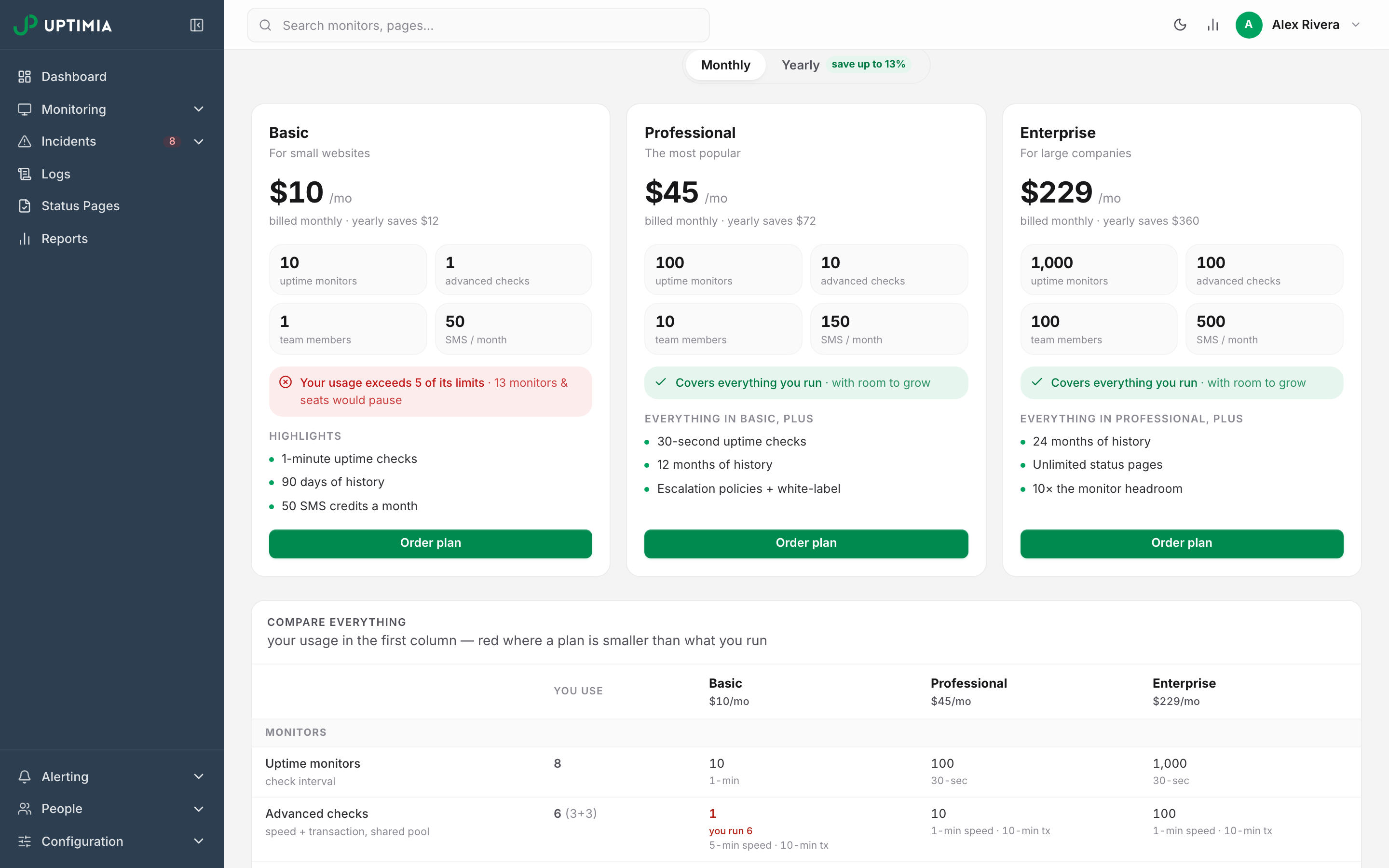
Enterprise sits at the top of the same ladder as Basic and Professional, with a list price on the pricing page and a purchasable card on the Plans tab. Nothing about it requires a conversation with support. It costs 229 a month, or 2,388 for a year billed once, which works out at 199 a month. Basic and Professional sit below it. Their prices are in Billing and Subscription.
The numerals are identical in USD and EUR; your account bills in one of the two, and the Subscription page shows your own currency. Prices are VAT-inclusive, so the VAT figure on a quote and on an invoice is a carve-out of the total, not an addition to it.
On the Plans tab the Enterprise card reads For large companies and shows the price per month. Its sub-line reads billed monthly · yearly saves 360. Flip the toggle to yearly and that line becomes billed 2,388 a year · save 360.
The button label depends on your current plan. A free or trial account gets Order plan, with no note underneath. On a lower paid plan the button reads Upgrade to Enterprise, with the note instant · credit for your unused days, which becomes instant · full price charged today on a PayPal account, because PayPal has no balance credit.
Upgrades apply immediately, with credit for the days you already paid for. A downgrade on a Stripe subscription does not apply on the spot; Uptimia schedules it to your renewal date. If the smaller plan sits below your current usage, the request is refused until you acknowledge which pools would pause. PayPal subscriptions cannot switch billing cycle at all, and PayPal plan changes apply immediately at full price. The mechanics are in Changing Your Plan.
What Enterprise Includes
Enterprise figures only. The full comparison across every plan is in Plan Limits and Quotas.
| Pool | Enterprise |
|---|---|
| Uptime monitors | 1,000 |
| Advanced checks (Speed + Transaction share one pool) | 100 |
| SSL | 100 |
| Domain | 1,000 |
| Virus | 100 |
| Real User websites | 100 |
| Server | 100 |
| Heartbeat | 1,000 |
| Blacklist | 100 |
| DNS zones | 100 |
| API | 100 |
| Team members | 100 |
| Free SMS per month | 500 |
| Status pages | Unlimited |
| RUM pageviews per month | 7,500,000 |
| Monitoring history | 730 days (24 months) |
Speed and Transaction draw on a single shared allowance of 100 advanced checks, which you split between page-speed monitors and browser transactions however you like. On Enterprise, uptime monitors can be checked as often as every 30 seconds, the same floor Professional has. Escalation policies, incident grouping, acknowledgment and white-label branding are all included, as they are on Professional.
The Accounting / Billing seat does not consume one of the 100 team members. See The Accounting and Billing Seat.
When You Need a Custom Arrangement
Contact support about a custom price when one of these is true:
- Your fleet is larger than the Enterprise pools above: more than 1,000 uptime monitors, more than 100 advanced checks, more than 100 seats.
- You need one pool raised well past its Enterprise figure while the rest stay where they are.
- You are being moved onto a negotiated rate as part of a longer commitment.
If none of those apply, buy the plan from the Plans tab. Asking for a quote for something the published ladder already covers only costs you days.
How a Custom Price Behaves on Your Account
A custom price is a negotiated amount Uptimia records on your account. Once it is set, the Plans tab shows an information banner reading You have a custom price of $X/month. Contact support before changing plans. Your own amount and currency replace $X. The banner is the only sign of the arrangement: there is no coupon field, no discount line on the plan cards, and no separate "custom" plan card.
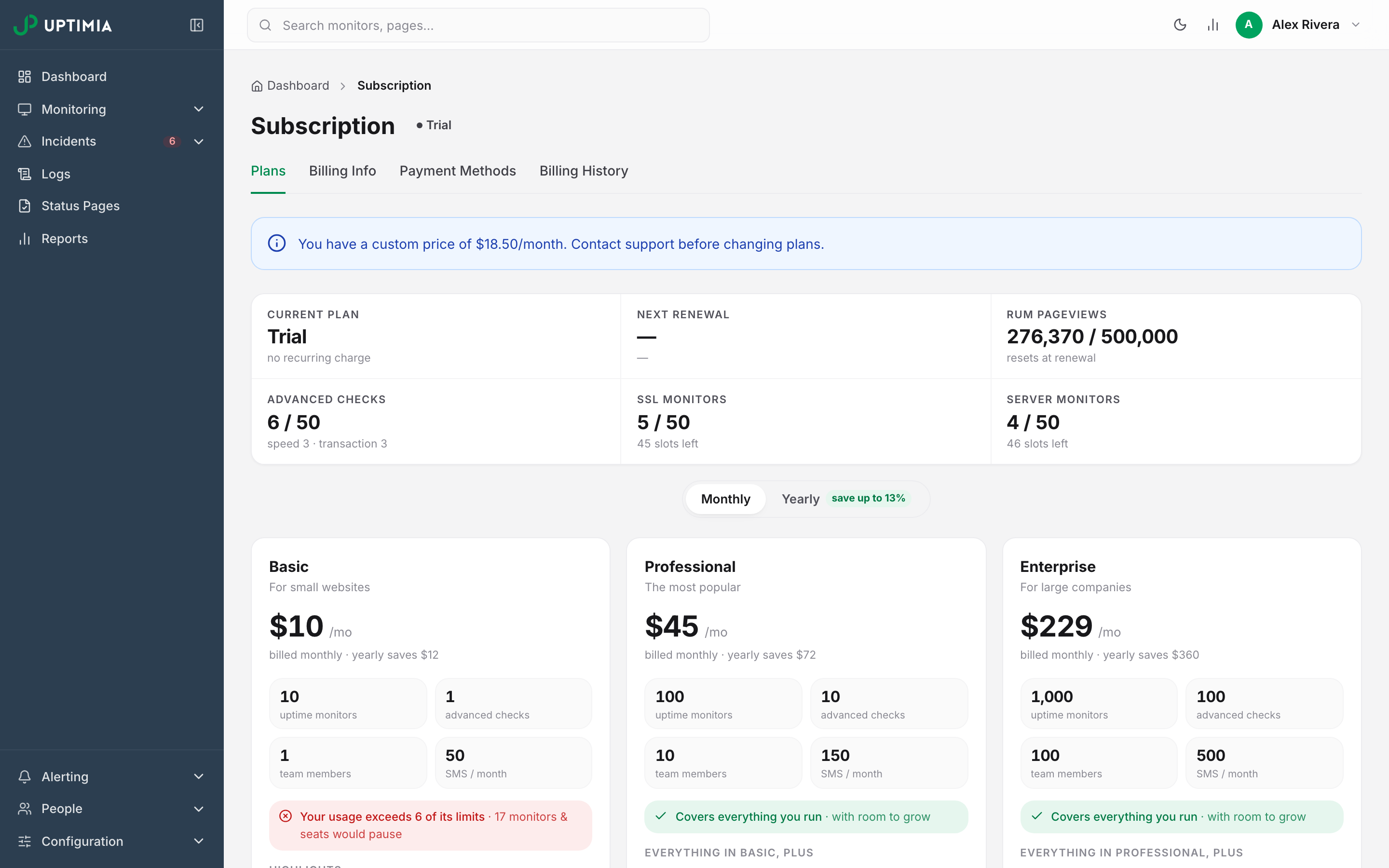
Take the banner literally. Changing plan or switching between monthly and yearly re-prices your subscription from the public catalog and clears the custom price from your account. For an upgrade or a monthly/yearly switch, that clearing happens the moment you submit the change from the Plans tab, before the card is charged, and the custom price is not put back if the charge is then declined. A downgrade on a live card subscription is scheduled for your renewal date instead. Its custom price clears when that scheduled change is billed. An ordinary renewal of the same plan on the same cycle leaves it alone. Ask support to make the change for you instead of doing it from the Plans tab.
A custom price also fixes which limit table applies. Uptimia measures the account against current pricing limits, even if your account is still on an older price list.
Warning: The Plans tab still shows the ordinary Upgrade to … and Downgrade to … buttons on a custom-priced account. The banner is the only guard, and clicking through re-prices you at list price.
Custom Limit Grants
Separately from price, Uptimia can grant an account a bonus allowance on top of its plan's base limit. A bonus of 200 uptime monitors on a Professional plan gives that account 300.
Seven pools can carry a bonus allowance: uptime monitors, advanced checks (Speed + Transaction), SSL, domain, virus, Real User websites and team members. An SMS grant is recorded the same way and raises the ceiling shown in Plan Usage, but the monthly refill still tops your balance back up to your plan's own SMS allowance. Ask support to confirm what will be credited each month.
Server, Heartbeat, Blacklist, DNS and API monitors have no bonus allowance at all and are enforced at the bare plan limit. If you need more of those five, the plan itself has to move. A grant cannot raise them.
A bonus survives a plan change: it is added to whichever plan limit is in force. On a downgrade, monitors beyond base plus bonus are suspended oldest-kept-first, and an upgrade reactivates them. A monitor you paused yourself stays paused either way.
Grandfathered Plans and Legacy Names
If your account is on Uptimia's oldest pricing cohort (the one whose plans are still named Starter and Standard), the Plans tab shows a second banner titled Legacy Pricing: "You are on legacy pricing. Changing your plan will move you to current pricing." Your cohort's own prices and limits are what you see and what you pay, until you change plan. Accounts on the intermediate February-September 2024 prices keep those prices too, but get no banner.
Two plan names appear only on grandfathered accounts and old invoices: Starter and Standard, the legacy names for Basic and Professional. Advanced is a third legacy tier, unsold, with no price in the current catalog, and Uptimia filters it out of the plan cards entirely. So "a custom arrangement" and "the Advanced plan" are not the same thing. No plan card on the Plans tab can move you onto Advanced.
Requesting a Quote
Email [email protected], or use the help widget in the control panel.
- Name your organization and the email address on the Uptimia account.
- List how many monitors you need per family, across all twelve: uptime, transaction, API, heartbeat, server, speed, real user, SSL, domain, DNS, virus, blacklist.
- State how many team members need seats, and how many SMS alerts a month you expect.
- State your preferred billing cycle (monthly or yearly) and your billing currency.
- Say how long you need monitoring history readable for, if 24 months is not enough.
Count per family: ten of the twelve families draw on their own separate pool, and Speed plus Transaction share an eleventh. A single total number of monitors cannot be priced.
Invoices and Payments
Card payments run through Stripe; PayPal is the alternative. Every charge generates an invoice. Uptimia calculates EU VAT and issues EU-compliant invoices.
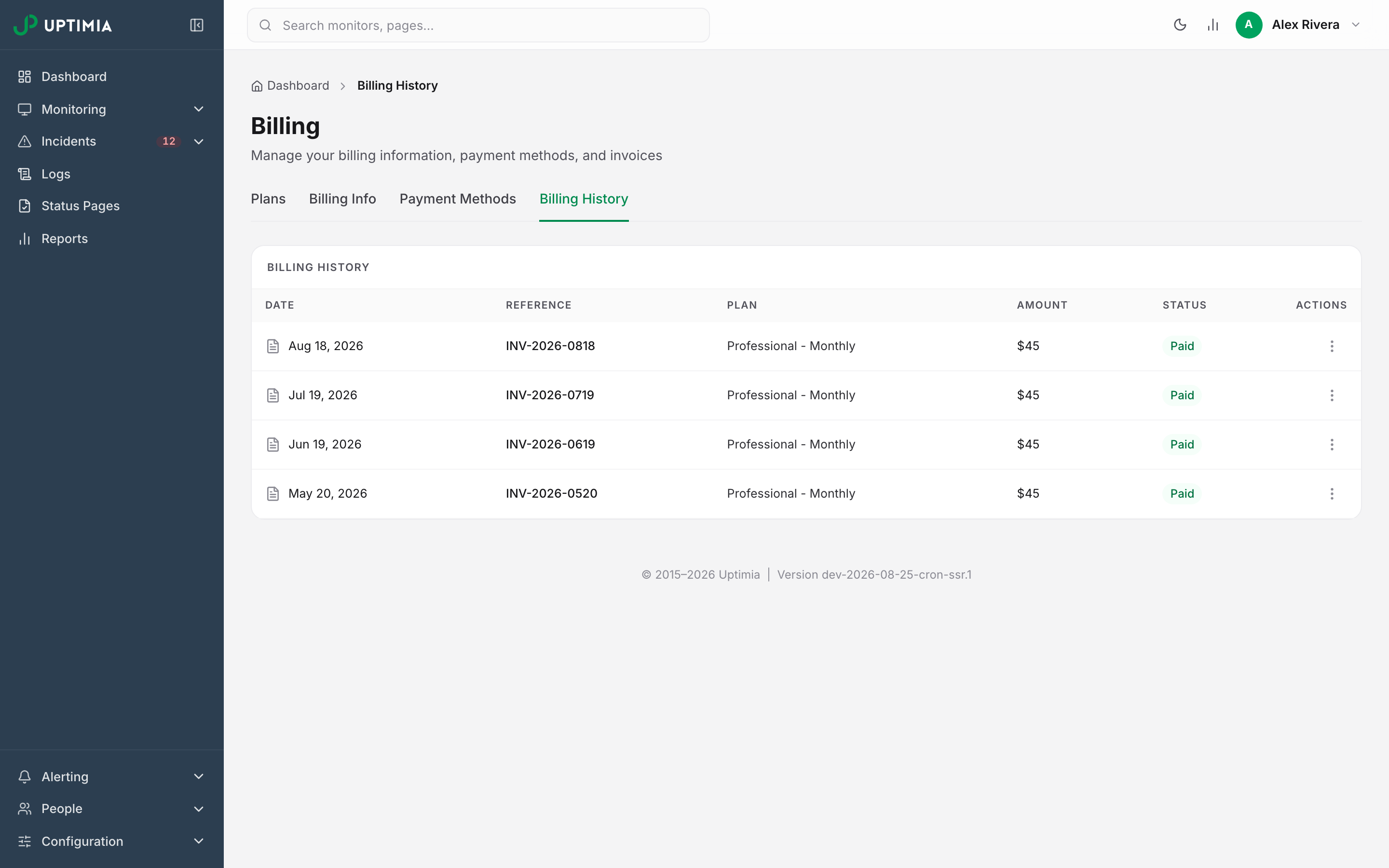
Your invoice history is on Billing History. Each row shows Date, Reference, Plan, Amount, Status and an actions (⋮) menu offering Download PDF and Regenerate Invoice. Correct your billing details on Billing Info first, then regenerate, so the document carries the new address or VAT number. Invoices dated before 1 January 2026 cannot be regenerated. The request returns "Invoices created before January 2026 cannot be regenerated". Billing and Subscription covers the tab in full.